Die Lieferung von Bestellungen nach Schweiz erfolgt je nach Bestimmungsort normalerweise innerhalb von 48 Stunden.
Kostenlose Lieferung nach Schweiz für Bestellungen im Wert von 54 CHF oder mehr. Für Bestellungen im Wert von unter 54 CHF werden Versandkosten in Höhe von 20 CHF berechnet.
UPS, FedEx- oder DHL-Fracht im Voraus bezahlt: DDP (Zoll- und Einfuhrgebühren bezahlt von DigiKey)
Rechnungskonto für qualifizierte Institutionen und Unternehmen
Vorauszahlung per Banküberweisung
![]()
![]()
![]()
![]()


Weitere Produkte von vollständig autorisierten Partnern
Die durchschnittliche Dauer bis zum Versand beträgt 1-3 Tage; es können zusätzliche Versandgebühren anfallen. Die tatsächliche Lieferzeit entnehmen Sie bitte der Produktseite, dem Warenkorb und der Kasse.
Incoterms: CPT (Zoll und anwendbare Mehrwertsteuer/Steuer fällig zum Zeitpunkt der Lieferung)
Weitere Informationen erhalten Sie über Hilfe und Kundendienst
In this tutorial, we’ll demonstrate how to set up a communication channel between a ROS 2 node running on a Raspberry Pi and an Arduino-compatible microcontroller to control a simple robot.
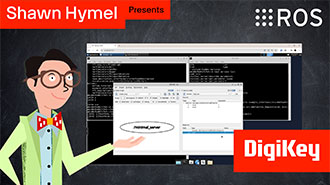
In this tutorial, we take the next step and create a complete system using both TF2 broadcasters and listeners.
In this tutorial, we begin working with TF2, the ROS 2 library that handles coordinate transformations.
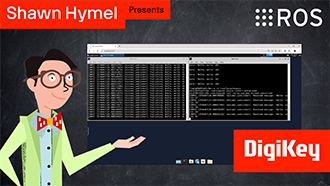
In this tutorial, we’ll explore how ROS 2 launch files simplify node orchestration.
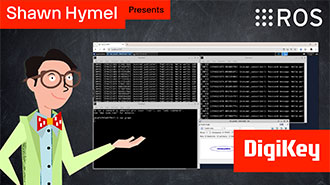
In this tutorial, we'll explore how to use parameters in ROS 2 to dynamically configure nodes.
In this episode, we’ll go one step further by creating and using custom interfaces in both Python and C++. You’ll learn how to define your own message and service types and use them in publisher/subscriber and client/server architectures.
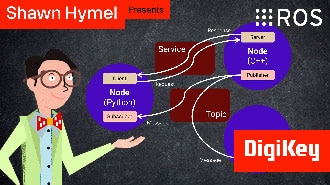
In this tutorial, we will see how services work by creating a custom server and client in C++ ROS nodes.
In this tutorial, we will see how services work by creating a custom server and client in Python ROS nodes.
In this tutorial, we’ll walk through how to write ROS 2 nodes in C++ that communicate using the publish/subscribe model.
This tutorial will walk you through creating a publisher and subscriber from scratch using ROS 2’s Python client library, rclpy.
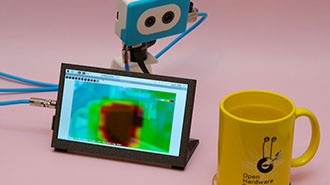
This project fuses the Raspberry Pi's camera feed with a thermal graphic overlay.
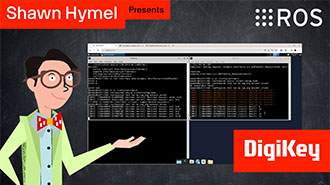
In this tutorial, we’ll dive into one of the most essential parts of working with ROS 2: the command-line interface (CLI). Before writing any code, it’s important to understand the basic tools that ROS 2 provides for exploring, debugging, and interacting with nodes, topics, and services.
Co-Browse
Wenn Sie die Co-Browse-Funktion verwenden, erklären Sie sich damit einverstanden, dass ein Kundendienstmitarbeiter von DigiKey Ihren Browser aus der Ferne betrachten kann. Wenn das Co-Browse-Fenster geöffnet wird, geben Sie bitte die Sitzungs-ID, die Sie in der Symbolleiste finden, an den Kundendienstmitarbeiter weiter.
DigiKey misst dem Schutz Ihrer Privatsphäre große Bedeutung bei. Weitere Informationen finden Sie in unserer Datenschutzerklärung und unserem Cookie-Hinweis.
Ja, weiter zu Co-BrowseVielen Dank!
Behalten Sie Ihren Posteingang im Auge, um Neuigkeiten und Updates von DigiKey nicht zu verpassen.
Bitte geben Sie eine E-mail-Adresse ein
Bitte akzeptieren Sie den Erhalt von Marketing-Informationen per E-Mail