Di norma, gli ordini destinati all'Svizzera sono consegnati entro 48 ore, a seconda della località.
Spedizione gratuita in Svizzera per ordini superiori a 54 CHF. A tutti gli ordini inferiori a 54 CHF verrà aggiunto un costo di spedizione di 20 CHF.
UPS, FedEx o DHL nolo prepagato: DDP (dazi doganali pagati da DigiKey)
Conto di credito per istituzioni e imprese qualificate
Pagamento anticipato tramite bonifico bancario
![]()
![]()
![]()
![]()


Altri prodotti da Partner pienamente autorizzati
Tempo medio di spedizione 1-3 giorni; potrebbero essere applicate spese di spedizione supplementari. Consultare la pagina del prodotto, il carrello e la procedura di acquisto per i tempi di spedizione effettivi.
Incoterms: CPT (dazi doganali e imposte/IVA da versare alla consegna)
Per maggiori informazioni, visitare la pagina Assistenza
In this tutorial, we’ll demonstrate how to set up a communication channel between a ROS 2 node running on a Raspberry Pi and an Arduino-compatible microcontroller to control a simple robot.
In this tutorial, we take the next step and create a complete system using both TF2 broadcasters and listeners.
In this tutorial, we begin working with TF2, the ROS 2 library that handles coordinate transformations.
In this tutorial, we’ll explore how ROS 2 launch files simplify node orchestration.
In this tutorial, we'll explore how to use parameters in ROS 2 to dynamically configure nodes.
In this episode, we’ll go one step further by creating and using custom interfaces in both Python and C++. You’ll learn how to define your own message and service types and use them in publisher/subscriber and client/server architectures.
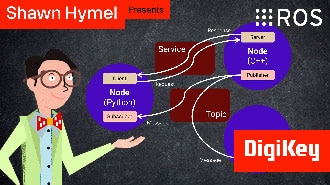
In this tutorial, we will see how services work by creating a custom server and client in C++ ROS nodes.
In this tutorial, we will see how services work by creating a custom server and client in Python ROS nodes.
In this tutorial, we’ll walk through how to write ROS 2 nodes in C++ that communicate using the publish/subscribe model.
This tutorial will walk you through creating a publisher and subscriber from scratch using ROS 2’s Python client library, rclpy.
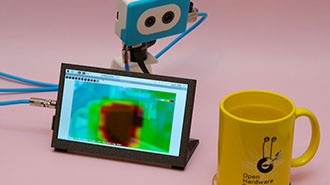
This project fuses the Raspberry Pi's camera feed with a thermal graphic overlay.
In this tutorial, we’ll dive into one of the most essential parts of working with ROS 2: the command-line interface (CLI). Before writing any code, it’s important to understand the basic tools that ROS 2 provides for exploring, debugging, and interacting with nodes, topics, and services.
Co-navigazione
L'uso della funzione di co-navigazione implica il consenso alla visualizzazione remota del proprio browser da parte di un tecnico dell'assistenza DigiKey. Quando si apre la finestra Co-navigazione, fornire al tecnico l'ID della sessione indicato nella barra degli strumenti.
DigiKey rispetta il diritto alla privacy. Per ulteriori informazioni, consultare la nostra Informativa sulla privacy e Informativa sui cookie.
Sì, abilita la co-navigazioneGrazie!
Tieni d'occhio la posta in arrivo, che conterrà notizie e aggiornamenti da DigiKey!
Inserire un indirizzo email
Selezionare la casella di controllo